설치 여부 확인
nginx -v
아래와 같이 버전이 나오지 않는다면?
nginx version: nginx/1.xx.x
설치 ~
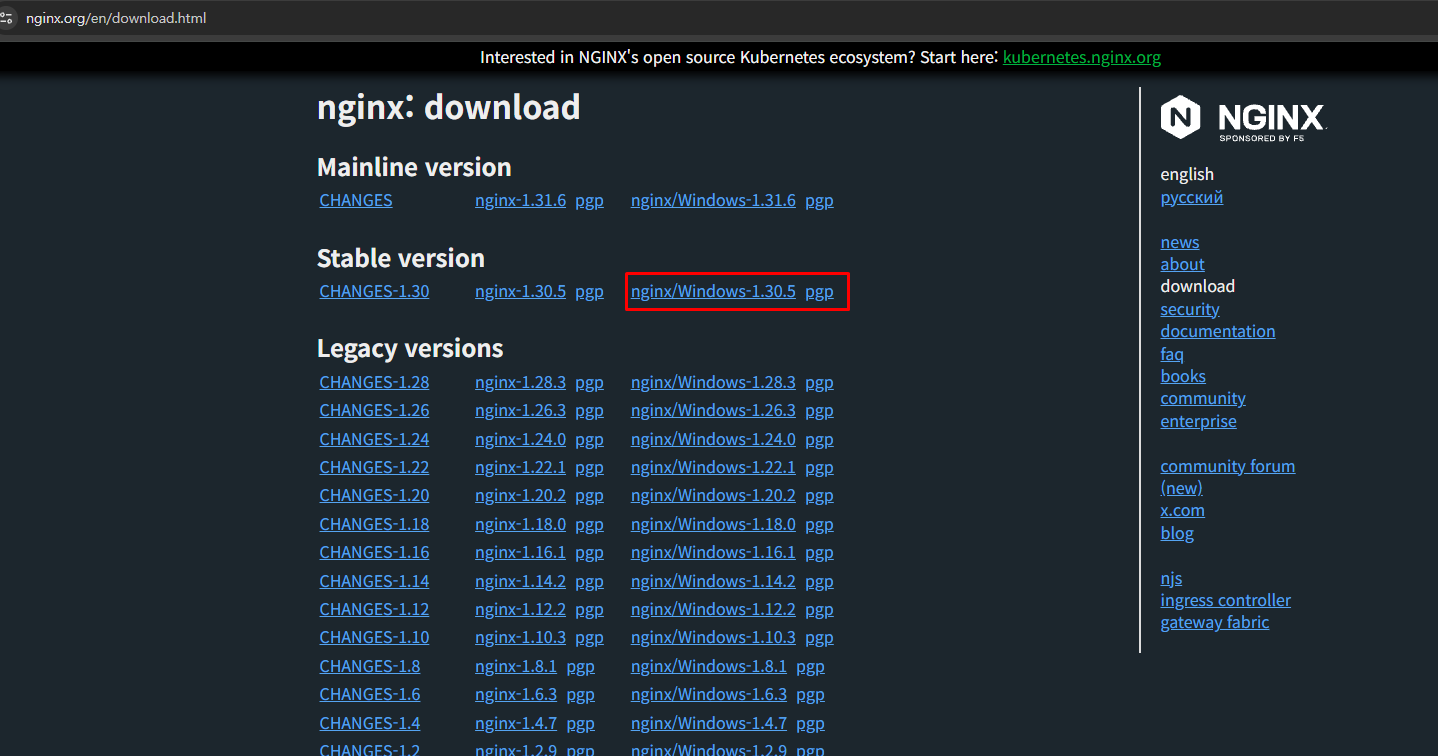
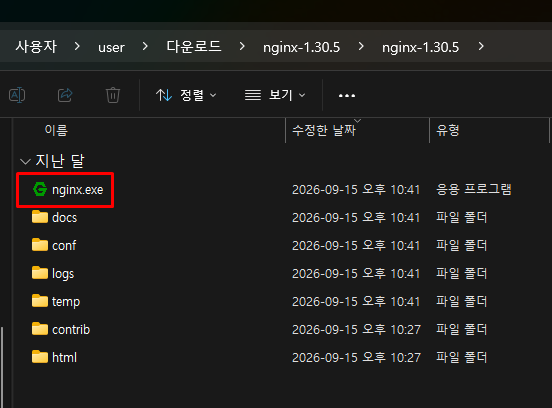
nginx 설치 파일 다운로드 & 압축 해제
https://nginx.org/en/download.html
nginx: download
nginx.org
PowerShell 명령어
PowerShell을 관리자 권한으로 열고 실행
cd C:\nginx

# 실행
.\nginx.exe

# 실행 여부 확인
Get-Process nginx

# 설정 문법 확인
.\nginx.exe -t

# 설정 변경 후 반영
.\nginx.exe -s reload

# 중지
.\nginx.exe -s stop

# 강제 종료
taskkill /F /IM nginx.exe
브라우저에서 http://localhost 이동 - “Welcome to nginx!”가 나오면 정상
'Tools > Install' 카테고리의 다른 글
| JSON Viewer 설치 (0) | 2023.09.11 |
|---|---|
| PostMan 설치 (0) | 2023.09.11 |
| LOMBOK 플러그인 설치 (0) | 2023.09.11 |
| Java 설치 & 환경변수 설정 (0) | 2023.09.07 |
| Git 설치 (0) | 2023.09.07 |


